GB WhatsApp Troubleshooting Guide: Fix Common Issues (2026)
GB WhatsApp is a popular modified messaging app because of the numerous additional benefits it offers. Many millions of people use the software to access features such as private online status, theme customization, auto reply, scheduled messages, file downloading, etc., which are unavailable in the original WhatsApp.
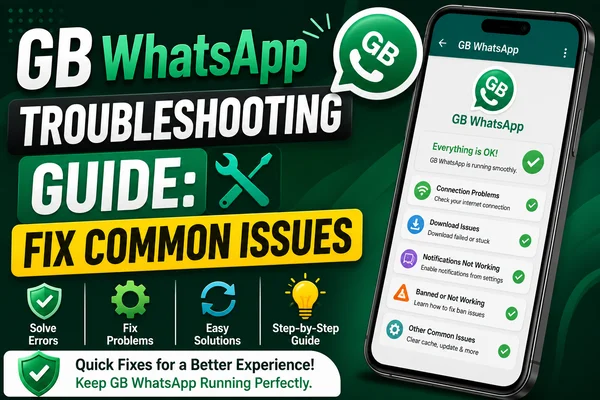
Although GB WhatsApp is widely used around the world, just like other modified applications, it sometimes causes technical problems with users' phones. This blog will explain how to handle the most common problems effectively and quickly.
Most Common GBWhatsApp Problems And Ways To Solve Them
Unable To Install GB WhatsApp
Installation problems are one of the most common issues connected with third-party apps.
Reasons Behind GBWhatsApp Installation Failure
- Unknown sources are blocked
- App conflicts
- Damaged APK file
- Limited storage capacity
How To Fix
- Navigate to Settings > Security
- Grant permission for unknown sources
- Uninstall other versions of WhatsApp
- Find the most recent GB WhatsApp APK
- Make sure there is enough phone memory
After completing all these actions, reboot your device and try to install the APK.
GB WhatsApp Crashing Frequently
In some cases, GB WhatsApp may frequently crash while opening chats or sending media.
Possible Causes
- Outdated app version
- Corrupted cache files
- Device compatibility issues
Possible Fixes
- Update to the latest version of GBWhatsApp
- Clear the app cache through
- Settings > Apps > GB WhatsApp > Storage > Clear Cache
- Restart your phone
- Reinstall GB WhatsApp if the problem persists
Up-to-date software is the best defense against crashes and bugs.
Unable To Receive Verification Code
Many GBWhatsApp users face difficulties when verifying their numbers.
How to Fix Verification Issue
- Ensure the SIM card works properly
- Check if you have used the right phone number
- Connect to a stable Wi-Fi network
- Wait a couple of minutes before getting a new OTP
- Turn off your phone if an SMS is not received
If SMS verification doesn't work, use the "Call Me" option for verification.
Messages Not Sending / Receiving
When it comes to sending and receiving messages in GBWhatsApp, the problem will be related to Internet connectivity or battery optimization settings.
Immediate Fix
- Check your Wi-Fi/Mobile Data connection
- Turn off battery saver mode
- Allow background app activity
- Disable data saving restrictions
- Restart your phone/router
Make sure that all the permissions are also activated in the app.
Download Issues Related To Media Files
Sometimes, downloading of photos, videos, or documents does not happen automatically.
Steps to Overcome Media Download Issues in GBWhatsApp
- Check internet connectivity
- Check available storage space on your phone
- Allow permissions to download media
- Clear cache of the app
- Update the app to the latest version
Sometimes, large files may also fail due to an inconsistent internet connection.
Issues With Backup and Restore Function
Backup errors can lead to loss of chats during the transfer of the device, or uninstalling the app and then reinstalling it.
How to Solve Backup Issues in GBWhatsApp?
- Create a manual backup of the chat before uninstalling
- Secure the backup file in your phone's internal memory
- Make sure you have sufficient space on your phone
- Always use the same phone number while restoring chats
It is highly recommended to create backups of chats at regular intervals.
Delayed Notification in GBWhatsApp
Some users face the problem of receiving delayed notifications or getting notifications only when opening the app.
Solution for Receiving Delayed Notifications in GBWhatsApp
- Disable battery optimization of the app
- Grant auto-start permission
- Enable background data usage
- Do not disable notifications in app settings
This problem often arises in phones with strict power management systems, such as MIUI or One UI.
Warning About Switching to Official WhatsApp
Sometimes, you might get prompts asking you to revert to the official WhatsApp application.
What You Can Do
- Download the latest version of GBWhatsApp with an anti-ban update
- Never install older versions of APK files
- Make sure to save your chat history before any upgrade
- Update your app exclusively from trusted websites
It is critical to stay updated with the latest software because all modified applications carry inherent risks.
Conclusion
There are a lot of useful features that you can enjoy when using GB WhatsApp. However, from time to time, users face certain technical problems such as crashes, difficulties with installation, delays in notification alerts, or even the inability to back up their files.
Nevertheless, all these minor problems have easy solutions through regular app updates or reinstallations. The troubleshooting guide for GBWhatsApp presented above gives you an opportunity to solve common technical glitches quickly and efficiently.